
Short videos
Reels, Shorts and shop promos.
3 guides · 12 quick tool picks · guides checked Sep 24, 2026
Reel with auto captions
A 20–40 second vertical video with clear captions and no watermark, ready for Reels, Shorts and WhatsApp Status.
 4 steps
 Long video into Shorts
5–10 vertical clips of 30–90 seconds with captions, ready for YouTube Shorts, Instagram Reels and LinkedIn.
 4 steps
 Promo video from photos
A 15–20 second vertical promo video (1080p MP4) for Instagram Reels, WhatsApp Status and your Google Business Profile.

 4 steps
Quick tool picks
Put subtitles on your videoClipchamp · Free 1080p export · computer
Correct the words, style the captions and export the video in the same editor. No separate subtitle app.
Try first: Import a short speaking clip, add it to the timeline and turn on autocaptions. Check the words before exporting.
A personal Microsoft account is required. Your audio is processed online. Free projects using your own or free assets export without a watermark; 4K and premium assets cost extra. You can also download an SRT subtitle file.
Open Clipchamp Checked Oct 5, 2026: Free plan, Caption guideClean up a noisy voice recordingAdobe Podcast · Free tier · audio files only
Upload the recording you already have. Enhance Speech reduces background noise without rebuilding the edit.
Try first: Open Enhance Speech and upload a short voice recording. Listen to the before and after before keeping the result.
The free plan allows one audio file at a time, up to 30 minutes and 500 MB, with 1 hour total per day. Video uploads and strength controls are paid features. Keep the original recording in case you prefer it.
Open Adobe Podcast Checked Oct 5, 2026: Enhance Speech, Free limitsCut a video by deleting wordsDescript · Free 1 media hour/month · video watermark
Edit the transcript to remove a spoken mistake. You can make a first cut without hunting through every second of the timeline.
Try first: Import a short talking video. Correct its transcript, delete one unwanted sentence and play across the cut.
Free processing is capped at 60 media minutes a month. Watermark-free video export is paid, and AI tools have their own credit limits. Listen across edits: a clean-looking transcript can still create an awkward cut.
Open Descript Checked Oct 5, 2026: Editing, free minutes and exportFind short clips inside a long videoOpusClip · 60 free credits/month · watermarked clips
Start with suggested moments, reframing and captions. Useful for checking whether your interview has a good Short hidden inside it.
Try first: Upload a video you own and review one suggested clip. Check that it makes sense without the rest of the conversation.
The free plan has a watermark, no editing, and disables export after 3 days. You need a paid plan to remove those restrictions. Its clip or virality scores are suggestions, not proof that a post will perform well.
Open OpusClip Checked Oct 5, 2026: Free export restrictionsHear your script before recording itElevenLabs · Limited free speech · commercial use paid
Try different voices and pacing on the same paragraph. You can audition a voiceover, not just read a script silently.
Try first: Paste a short script into Text to Speech and choose a library voice. Listen for names, numbers and unnatural pauses.
The free allowance is limited and does not include a commercial license. Paid Starter lists commercial licensing. Use a licensed library voice or a voice you have permission to use; do not clone someone without consent.
Open ElevenLabs Checked Oct 5, 2026: Free and commercial plansStop one speaker sounding much quieterAuphonic · 2 free audio hours/month · added jingle
Balance speech, music and different speakers in an existing recording. It tackles uneven volume, not just microphone noise.
Try first: Upload a short recording with uneven voices, enable the leveler and compare quiet and loud sections after processing.
Free processing adds an Auphonic jingle. Paid credits remove it, and unused free monthly hours do not roll over. Keep your original: automatic leveling and cleanup may change the sound in ways you dislike.
Open Auphonic Checked Oct 5, 2026: Audio features, Free jingle and hoursRecord guests on separate tracksRiverside · Free account · first 2 hours of separate tracks
Keep each person's audio and video separate so you can fix one guest's level or framing without changing everyone else.
Try first: Create a studio and make a short test with a consenting guest. Let their upload finish, then inspect the individual tracks.
The free separate-track allowance covers your first 2 recorded hours, not 2 new hours every month. More separate-track downloads require an upgrade. Editor exports can include video or audio branding; inspect the export options before recording a full episode.
Open Riverside Checked Oct 5, 2026: Free account limits, Export brandingGet a subtitle file without installing an editorTurboScribe · Free 3 files/day · up to 30 minutes each
Upload a recording in your browser and download an SRT file. A simpler starting point than installing command-line transcription software.
Try first: Upload a short, non-sensitive clip, choose its spoken language and transcribe it. Check names and timing, then export SRT.
Requires signup and uploads the recording to a cloud service. Free files run one at a time with lower priority. Speech recognition still needs checking. An SRT is a separate subtitle file; you need an editor to permanently put the captions onto the video.
Open TurboScribe Checked Oct 5, 2026: Free transcription limits, Getting started and subtitle exportsTranscribe a recording on your own computerBuzz · Free desktop app · setup and model download
Use local Whisper transcription through a desktop interface when sending a recording to a cloud service is not a good fit.
Try first: Check the official project's installation notes for your computer. If the distribution fits your security requirements, try a short sample with a local model and review its transcript.
Not a phone or one-tap browser tool. Models need downloading and speed depends on your computer. The project warns its Windows installer is unsigned; do not bypass security warnings just to try it. Check current platform support and review transcription errors before using the SRT or VTT export.
Open Buzz Checked Oct 5, 2026: Official releases, local transcription and installation warningsHear a rough song idea before committing to itSuno · Free listening · downloads and commercial use paid
Explore how lyrics or a musical mood might sound. Useful for an early creative sketch, not as a promise of free music you can put in a published video.
Try first: Describe one mood and instrument, or use lyrics you wrote yourself. Listen to a draft to decide whether the idea is worth developing.
The free plan lists 50 credits per day, a shared queue, no monthly song downloads and no commercial rights. Paid download allowances are also capped. Check the terms for your particular track before publishing, especially if it uses uploaded or remixed material.
Open Suno Checked Oct 5, 2026: Free listening, downloads and commercial-use boundariesMake a short presenter video without filming yourselfHeyGen · Free: 3 videos/month · 1 minute each · watermark
Turn a script into a stock-avatar explainer when the missing piece is someone presenting it on screen. This is different from a voiceover over still images.
Try first: Choose a stock avatar and a short script you wrote. Generate one simple explanation, then check the pronunciation and visual result before using another free slot.
Watermark removal is paid. Premium avatar generation and lip-sync translation have separate trial or credit limits; do not assume the free plan covers those workflows. Use authorised material and make clear when a presenter is AI-generated where viewers could otherwise be misled.
Open HeyGen Checked Oct 5, 2026: Free video limits, watermark removal and premium trialsDownload a voiceover for a short scriptTTSMaker · Free: 20,000 characters/week · per-conversion limits
Useful when you need an audio file to put into an editor, not just a voice preview you cannot export. Start with a short sentence to check the voice and pronunciation.
Try first: Paste two sentences you wrote, choose a language and voice, then generate and listen. Download the audio promptly if the pronunciation works for your project.
Individual conversions have shorter limits, and some voices have different allowances. Generated files are removed after 30 minutes. The provider permits commercial use of generated audio, but that does not clear rights to someone else's script or other material.
Open TTSMaker Checked Oct 5, 2026: Character allowance, audio downloads, expiry and usage terms
Free from GitHub
Open-source projects people use for this.
 SkillOne command
HyperFrames
73.7kstars on GitHubAsk Claude Code or Codex for a short video and get an MP4 back
“For developers and anyone driving an AI coding agent, it's near best-in-class and costs nothing.” · Blog
heygen-com/hyperframesUpdated today
 AppNo coding
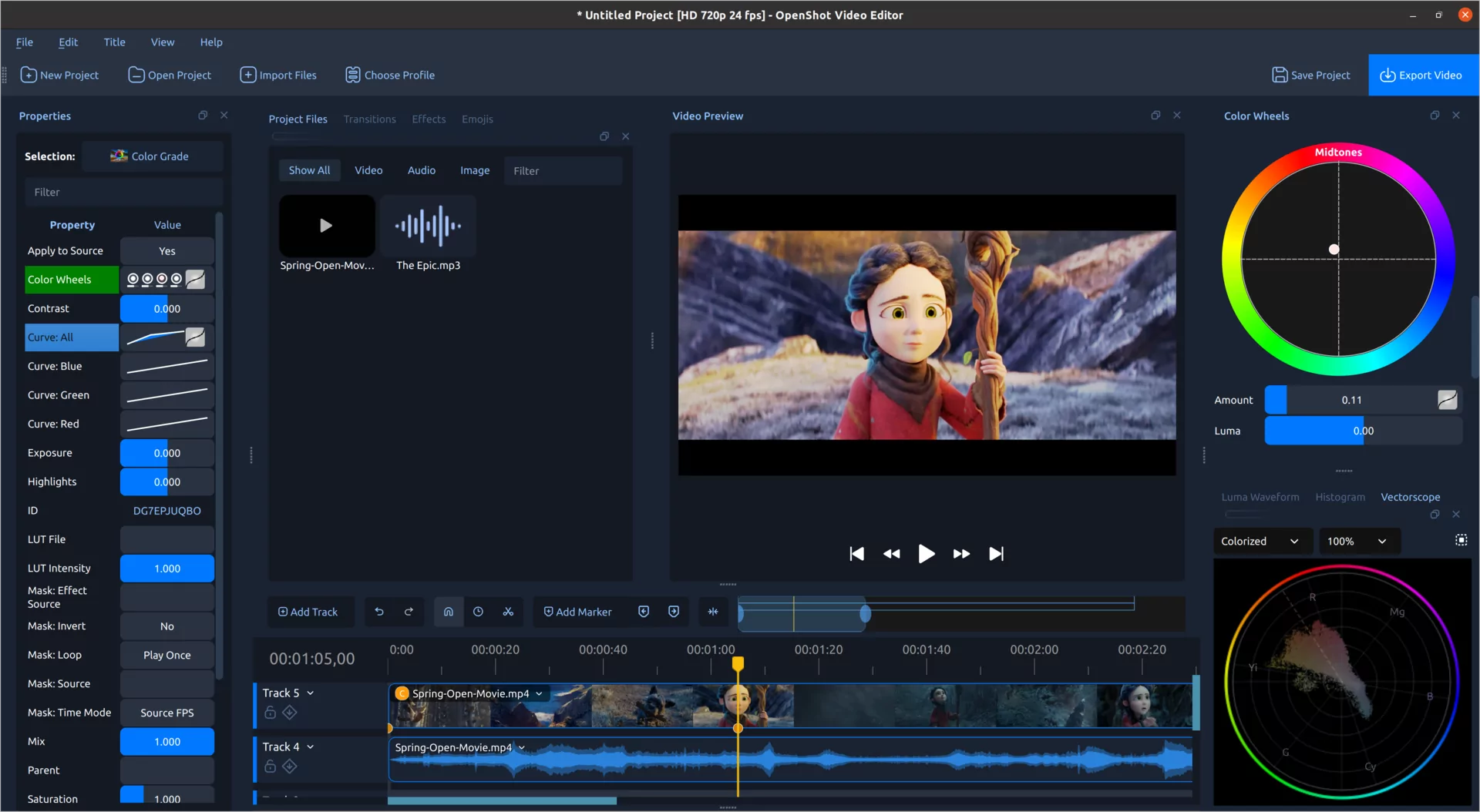
OpenShot 4.0
6.7kstars on GitHubFree video editor with screen recording and AI masks that run on your own computer
“Nice, looks like a great release. UI looks like it got a nice touch up and also cool to see that the project has AI powered object masking using onnx models” · Hacker News
OpenShot/openshot-qtUpdated today
- SkillOne command
OpenMontage
72.4kstars on GitHubYour coding agent writes, narrates, finds footage and edits a whole explainer video
“It can get you 80% of the way there for 1% of the cost. Closing that final 20% gap, however, still requires a human hand at the wheel.” · Blog
calesthio/OpenMontageUpdated 3 days ago